
Sector solution
Mediterranean restaurant ordering system
Take online orders under your own brand with menu, options and order structure suited to Mediterranean cuisine. Manage delivery, pickup and QR orders from one system.
Manage your Mediterranean menu for ordering
Mediterranean dishes are often served with different portions, contents, sauces, garnishes and extras. In FoodEmp you can define this structure per product so customers make choices directly while ordering.
See our product options and modifiers page for the general framework.
Set up the order flow that fits your restaurant
Not every Mediterranean restaurant operates the same way. Use delivery, pickup and in-venue order scenarios according to how you work.
For QR flow see QR ordering system; for delivery and pickup see delivery and pickup orders.
Delivery orders
Manage delivery orders by defining delivery zones, minimum basket and delivery rules.
→ Appears on kitchen display
Pickup orders
The customer orders ahead and collects a ready order at the restaurant.
→ Appears on kitchen display
In-venue / QR ordering
The customer scans a QR code at the table, opens the menu and places an order directly.
→ Appears on kitchen display
Manage delivery orders by zone and rules
Delivery is a major channel for Mediterranean restaurants, so delivery conditions can be managed as part of the ordering system—not just the menu.
For delivery zone planning, see our delivery zone and courier optimisation guide.
- Define delivery zones
- Zone-based delivery fees
- Set minimum basket amount
- Show estimated delivery time
- Manage delivery and pickup separately
- Track order status from the panel
From customer order to kitchen prep
The product, portion and extras the customer selects are passed to the kitchen with the order—no need to relay details by phone or staff.
For kitchen display and prep flow, see our kitchen display page.
Keep your menu up to date from one panel
Manage product, price, option and stock changes from one panel to keep your online ordering channel current.
Category management
Create categories for mezze, mains, grills, salads, desserts, drinks and more.
Product and price management
Update product prices, descriptions and images.
Option management
Attach portions, sauces, extras and other options to products.
Stock / product status
Temporarily disable sold-out items on the order page.
Location-based menu
Manage menu and price differences per location for multi-site businesses.
Direct customers to your own order channel
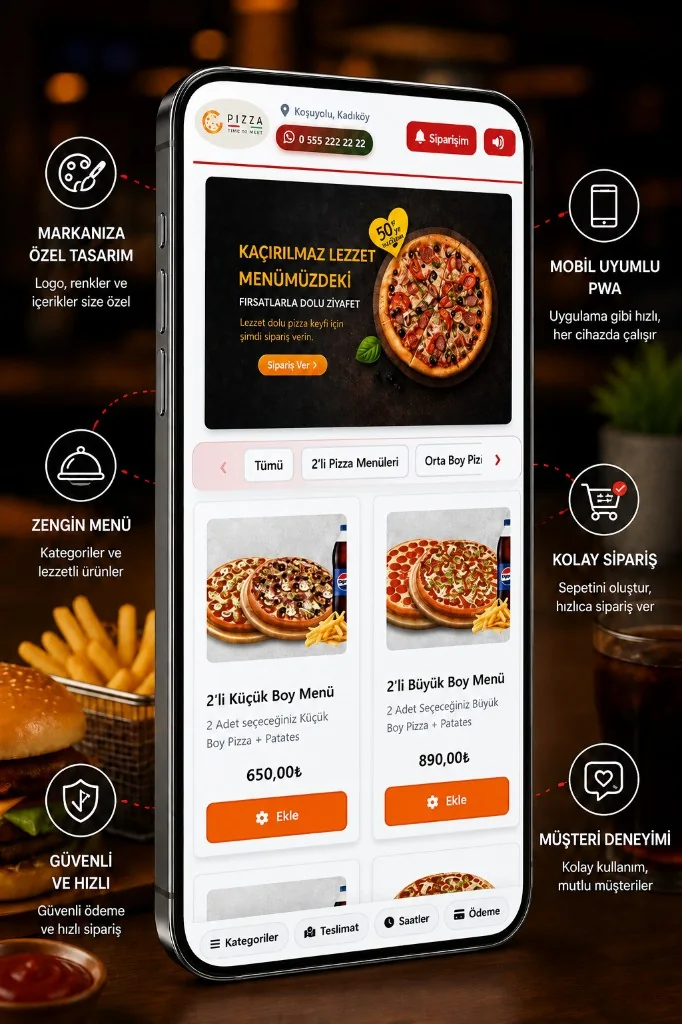
Build an online order page under your own brand outside marketplaces. Send customers from your website, social media or QR code straight to your order page.
For the commission-free channel model, see what commission-free ordering is.
- Your own brand and logo
- Mobile-friendly order page
- Orders via web and QR
- Order routing via WhatsApp
- Commission-free own channel
- Customer data stays on your channel
Manage multiple locations from one system
As you add locations, a central management structure can replace managing each restaurant menu separately.
Central structure details are on our multi-location order management page.
- Central menu management
- Location-specific prices
- Location-specific products
- Location-based delivery zones
- Location-based order tracking
- Central reporting
Ordering infrastructure for your Mediterranean restaurant
A short overview of core modules you may need for Mediterranean restaurant operations.
Online ordering
Orders under your brand
QR ordering
Table and contactless orders
Delivery
Zones and delivery rules
Pickup
Order ahead, quick handover
Menu options
Portions, sauces and extras
KDS
Orders sent to kitchen
POS integration
Link to counter operations
Campaigns
Menu and order promotions
Multi-location
Central restaurant management
Multilingual menu
Language options for guests
Set up online ordering for your Mediterranean restaurant
Move your menu, delivery and pickup options to an ordering system under your own brand.