
FoodEmp partner
Online ordering without downloading an app
The customer orders in one tap from a mobile browser without downloading anything. They open a link or QR, order, and if they wish add the page as a home-screen shortcut. Zero download barrier.
Short answer
Online ordering without an app means the customer orders from a mobile browser via a link or QR, without installing anything from the App Store/Play. The download, store approval and version-update barriers disappear.
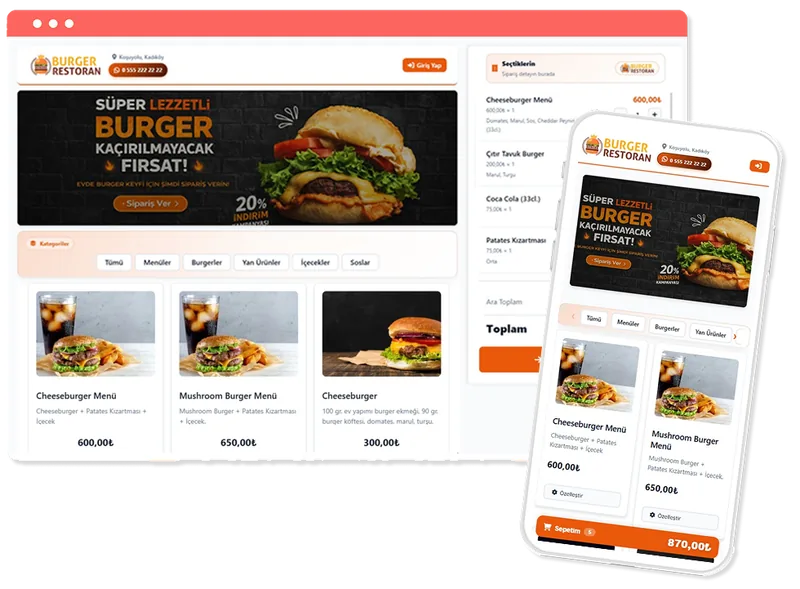
What is online ordering without downloading an app?
Online ordering without an app means the customer orders directly from a mobile browser without installing anything from the App Store or Google Play. The focus of this page is a single topic: removing the download barrier. All it takes to order is a link or a QR code.
Although the idea of a separate mobile app seems appealing, it actually brings three costs: the customer having to download the app (most give up), App Store/Play store approval processes and the obligation to release a new version on every change. Mobile web removes all three.
- Instant ordering in the browser without download/registration
- App-like shortcut with "add to home screen"
- One-tap access from anywhere via link and QR
How does it work?
The customer taps the link or QR; the order page opens fast and the menu appears. They pick products, pay, done. A customer who wants to can add the page to their home screen for app-like quick access on later orders.
- Prepare your menu in the panel; the system produces the mobile-friendly page.
- Add the order link and QR to social media, receipts and tables.
- Let the customer order from the browser while you manage from the panel.
- Menu changes are live instantly; you don't wait for a version update.
Because the page is light and opens fast, fewer customers are lost in the first second; sharing a link is a much shorter path than searching a store.
Advantages of removing the download barrier
- No conversion loss, since there is no "download the app" step
- No store approval/rejection processes or update cost
- One click from any channel (bio, receipt, table, ad) via link and QR
- Findability on Google: the page is searchable, not app content
Because you work on your own channel there is also no intermediary platform cut; both the download and the commission barrier fall at once.
Who is it for?
- Businesses that don't want to take on the cost of a separate app
- Those collecting orders via social media and QR
- Venues with frequently changing menus that want fast updates
- Businesses with high one-time/tourist customer traffic
Related topics and resources
- tradesman restaurant ordering system
- small restaurant site setup
- direct ordering vs intermediary platforms
- secure QR ordering system
- takeaway ordering system
For details and a demo contact us or review free setup steps.
Frequently asked questions
How does the customer order without downloading an app?
They open the link or QR of your order page; the menu loads instantly in the mobile browser and cart and payment are completed on the same page. No install, account creation or download needed.
Can it be added to the home screen like an app?
Yes; from the browser the customer can add your order page as a shortcut with "add to home screen", providing app-like quick access on later orders.
Why not build a separate mobile app?
A separate app brings a download barrier, App Store/Play approval processes and ongoing update cost. Mobile web requires none of these, and a menu change goes live instantly.
Get started
Contact us about an online ordering solution for your business and start taking orders on your own channel with FoodEmp.