FoodEmp partner
Cafe ordering system
Shorten the counter queue: guests order from the browser for table or takeaway while your barista team tracks everything on one screen.
Short answer
A café ordering system lets cafés take QR menu, table and delivery orders from one panel. FoodEmp provides this under your own brand, with no app download and commission-free on your own channel.
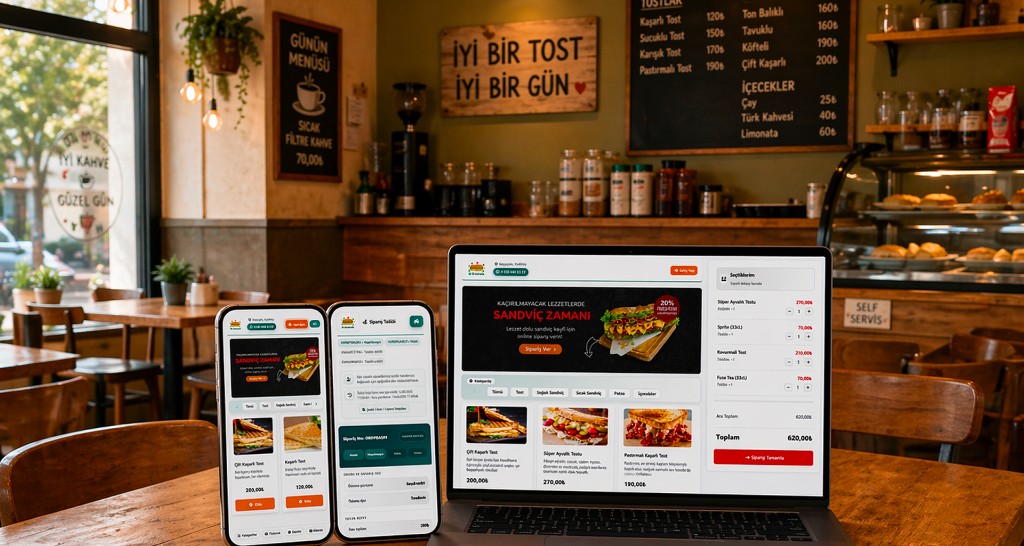
What does a cafe ordering system do?
A cafe ordering system moves the order flow from a crowded counter to a digital channel built for coffee and snacks. Guests scan a QR code or open your link; baristas see orders in real time.
FoodEmp cafe ordering does not require an app store release — a responsive web page works on phones and tablets. During the morning rush, repeat orders (filter coffee, latte, sandwich) reach the cart in a few taps.
- Milk type, cup size and extra shot modifiers
- Table QR plus takeaway / pickup modes
- Prep time updates and notifications
- Commission-free on your brand and domain
Setup steps for a cafe
- Group drinks and display items; hide sold-out products from the panel.
- Place your order link or QR at the counter, tables and social bio.
- Validate barista screen and alerts with test orders in week one.
- Extend prep time during peak hours to set guest expectations.
Compare with our cafe ordering app page and QR menu ordering guide.
Who uses it?
Specialty coffee shops, bakery-cafes, campus kiosks and takeaway-focused espresso bars benefit most when staff is limited and the digital menu balances counter load.
Related resources
Contact us or start free setup.
Frequently asked questions
Is a cafe ordering system suitable for small shops?
Yes — single-location cafes can define menu, prices and prep times in the panel within hours. See the cafe sector page.
Can I run espresso bar and pastry display in one menu?
Categories and modifiers (milk type, size, extra shot) are configured separately; out-of-stock items hide instantly.
Does it replace marketplaces?
Your own channel runs commission-free; optional Yemeksepeti integration adds another lane.
Get started
Contact us about an online ordering solution for your business and start taking orders on your own channel with FoodEmp.