
Printed brochure
Put your restaurant’s order link in your customers’ hands
Use your brochure not only for campaigns or menu info — use it to send customers to your own online ordering system.
Bring your logo, offers, products and order link together in one design. Hand out the brochure so customers who want to order reach you directly.
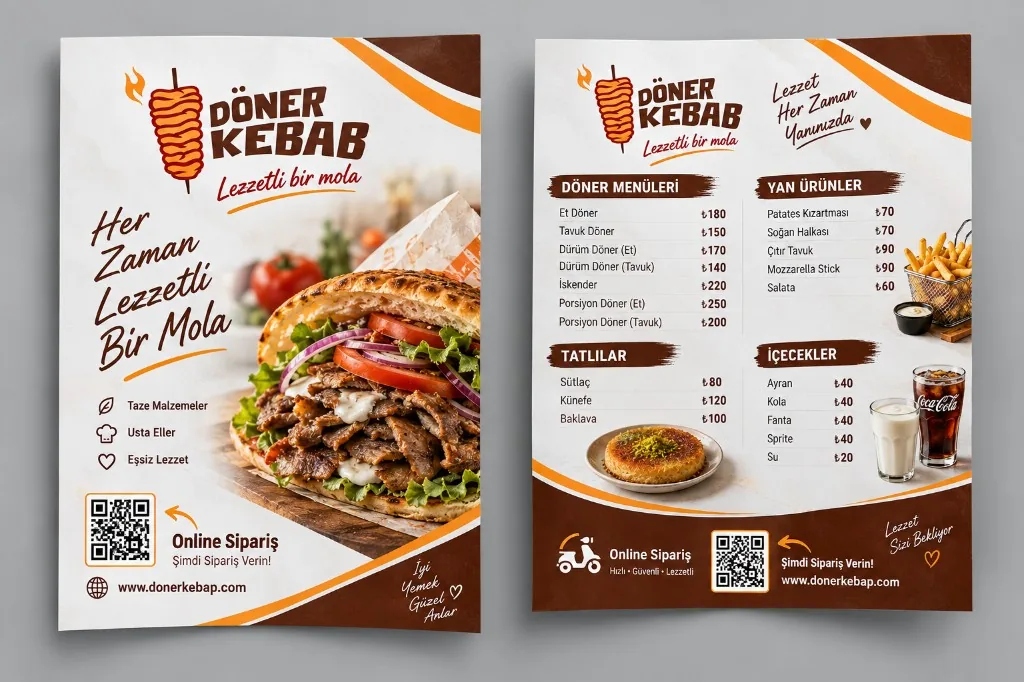
What can you use on a brochure?
Tap a card to see how each element works on your brochure.
Don’t just inform — take them to an order.
- Brochure
- QR code / order link
- Customer’s order page
- Order straight to your business
Customers who see your brochure shouldn’t need to call you again or search for your restaurant on another platform to place an order.
Where can you use it?
Pick a real use case and see how the brochure works there.
Slip it into every takeaway order
So the next order comes straight back to you.
Build the brochure yourself
Your online ordering system and printed products are managed in one place.
-
1
Choose the product
Select the brochure option and the quantity you need.
-
2
Add your design
Upload your logo and the images you want to use.
-
3
Add your order link
Use your online ordering URL or QR code on the brochure.
-
4
Complete your order
Send to print and receive your brochures.
Your printed product can be part of your online ordering system
Prepare your brochure, add your order link, and make it easier for customers to reach you directly.
When brochure and online ordering work together, the printed piece in your customer’s hand becomes a doorway into your digital channel.